10 − asked
A question counts as spent the moment you mark it asked. Skipped rows cost nothing, which is why a re-planned skipped question is often smarter than a rushed one.
Enter and order up to ten questions, choose context, timeline, evidence, contradiction, motive, or confirmation roles, mark each row planned, asked, or skipped, and see exactly how many tries remain.
This interactive ten-row planner includes case selection, question-role labels, asked, planned, and skipped states, a remaining-tries count, role coverage, local copy, and reset controls. It runs entirely in your browser and stores nothing outside it.
Case terminal / local plan
Mark a question as asked only after you use it in-game. Your text stays in this browser.
Every number the planner shows traces back to one official rule from the game description (checked 2026-10-06).
A question counts as spent the moment you mark it asked. Skipped rows cost nothing, which is why a re-planned skipped question is often smarter than a rushed one.
If queued questions exceed remaining tries, you have over-committed — cut or merge rows before you interrogate, not after.
The planner lights up each covered role. Gaps are useful: entering the room with no contradiction question planned means the one tool that breaks an alibi was never loaded.
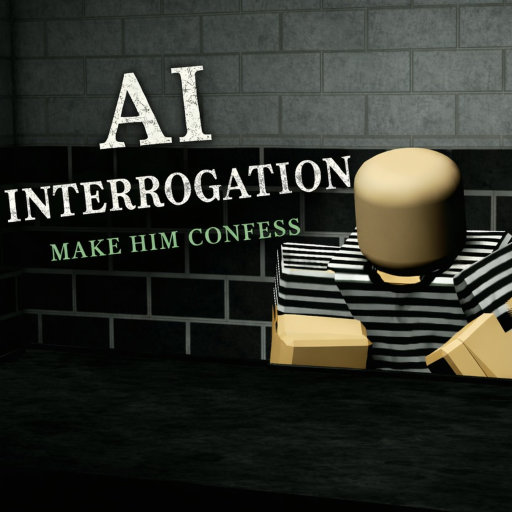
The budget is unforgiving by design: the official description gives you ten tries, and a suspect who senses an accusation too early can shut down — a spent try with nothing gained. The planner's arithmetic cannot make the AI cooperate, but it makes the cost of each question visible, which is what a ten-question discipline needs.
Uses only details documented on this site: the official tone rule and the community-documented Case 4 outline (coffee alibi, 3:05 PM keycard entry, arsenic).
| Try | Role | What the row holds |
|---|---|---|
| 1 | Open context | Ask the suspect to describe their own day in their words — a baseline you can compare every later answer against. |
| 2 | Timeline | Pin the morning: where were you before the suite was secured? Early pins make the 3:05 PM entry stand out later. |
| 3 | Evidence test | Name one concrete detail — the coffee run. Ask where it happened and who can confirm it, nothing more. |
| 4 | Evidence test | Name the second concrete detail — the keycard log — and ask for the suspect's account of that door. |
| 5 | Timeline | Close the window: ask what happened between the coffee run and the discovery. Vagueness here is itself a data point. |
| 6 | Contradiction | Quote both statements neutrally: the coffee alibi versus the 3:05 PM keycard entry. Ask for the explanation — do not accuse yet. |
| 7 | Motive | Once the schedule cracks, ask about the working relationship with the CEO. Pressure without a motive wastes tone. |
| 8 | Evidence test | Introduce the arsenic: ask what the suspect knows about how it moved. One detail, one question. |
| 9 | Contradiction | Re-quote the two answers that now disagree and ask which one is true. This is the confession push. |
| 10 | Confession check | Reserve the final try for a direct, calm request to come clean — the goal the whole plan was built toward. |
Reading the example: the plan spends its first half building comparable facts, fires the contradiction only after two statements exist to compare, and leaves the confession check for the last try. Adapt the details to what your own session shows — the structure transfers, the specifics come from your screen. The Case 4 page carries more on where those documented details came from.
The planner's end-state is a debrief, not a score.
Boundaries keep the tool honest.
It does not read Roblox, detect which case your session is running, generate questions with an AI of its own, or promise outcomes. The official description is the only source for the ten-try limit and the tone rule, and the planner encodes exactly those two constraints — nothing invented. It is a single-player discipline aid for a single-player game (1 player per server, per Roblox's API).
Five questions players actually ask about the tool.
It counts the rows you mark as asked and subtracts them from the official limit of ten tries. The game's own description sets that number: fail to get a confession in ten tries and the suspect walks free. The planner shows remaining tries, how many planned questions are still queued, and which of the six question roles you have covered.
No. The suspect is an AI that answers whatever you type, so no tool can guarantee a confession or read Roblox's game state. The planner is a discipline device: it forces each question to have a role before you spend a try, and it keeps a local record of what each answer produced.
Because the ten-try budget punishes duplicate effort. Two broad 'tell me everything' questions usually return the same kind of answer, while one timeline question and one concrete evidence question produce details you can compare. Role labels make overlap visible before you waste a try, which is the exact failure mode the tone rule punishes.
Into your browser's local storage — the plan for the selected case, the rows, and their results. Nothing is uploaded, and nothing connects to a Roblox account. Clearing your browser data or pressing reset clears the plan.
Pick the case shown in your session. Roblox badges name the first five base cases (The Bar Incident, The Heist, The Painting Stealer, The CEO killer, The Smiling Face), and the description promises a new daily case every day, so the planner also carries an unknown-or-daily option. If you are on the daily case, work from the setup screen in front of you rather than a base-case page.
See how context, evidence, pressure, and confirmation fit together.
TacticsChoose a useful purpose for the next question without treating it as a guarantee.
Case filesFive badge-backed case names with live award counts from Roblox's API.
New here? The homepage game overview explains the whole loop in one page, the Case 3: The Painting Stealer page shows how a bounded case plan reads, and the source register records where every fact on this planner comes from.